Navbar Menus
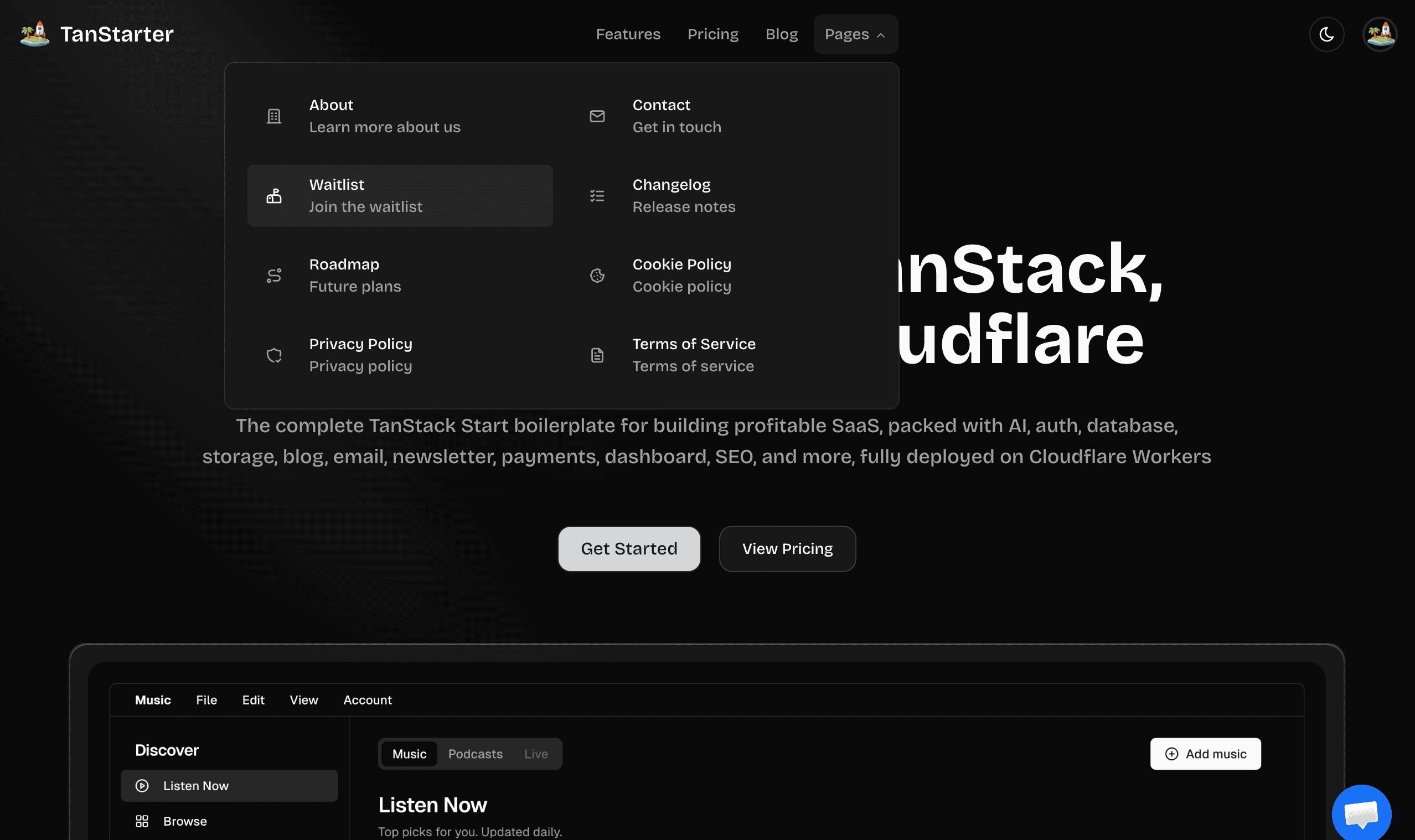
Configuring the navigation menu in the website header
Defines the navigation menu links in the website header, each item is MenuItemConfig.
src/config/navbar-config.ts
export function getNavbarLinks(): MenuItemConfig[] {
  const links: MenuItemConfig[] = [
    { title: m.nav_features(), href: Routes.Features, external: false },
  ];
  if (websiteConfig.payment?.enable) {
    links.push({ title: m.nav_pricing(), href: Routes.Pricing, external: false });
  }
  if (websiteConfig.blog?.enable) {
    links.push({ title: m.nav_blog(), href: Routes.Blog, external: false });
  }
  links.push({
    title: m.nav_pages(),
    items: [
      {
        title: m.nav_about_title(),
        description: m.nav_about_description(),
        href: Routes.About,
        icon: IconBuilding,
        external: false,
      },
      // More dropdown items...
    ],
  });
  return links;
}
The navbar conditionally shows links based on feature flags (e.g., payment.enable, blog.enable). It supports both simple links and dropdown menus with nested items. Dropdowns can include icons and descriptions for a richer user experience.
Next Steps
Now that you understand the navbar configuration, explore these related topics:
- Website Configuration: Configure core settings for your MinuteShip website
- Footer Configuration: Configure the links in the website footer
- Sidebar Configuration: Configure the navigation menu for dashboard
- Avatar Configuration: Configure the user avatar dropdown menu